
WinTricks - Trucchi per Windows e Software
Cancellare INETCACHE da PowerShell

La cartella INetCache (situata in AppData\Local\Microsoft\Windows\INetCache) contiene i file temporanei di Internet Explorer e di molti altri componenti di sistema Windows. Memorizza cache web, immagini e file per velocizzare la navigazione.
In realtà questa cartella, vuoi per possibili file corrotti e/o per mille altri motivi, tende a rallentare e avolte bloccare la navigazione e l'utillizzo di alcuni programmi di Windows.
Per farlo basta aprire POWERSEHELL da amministratore e fare Copia / Incolla dei comandi che trovate qui sotto:
# Cancella la cache INETCACHE By MSNI.it
Write-Host -ForegroundColor yellow "#######################################################"
""
Write-Host -ForegroundColor Green "Powershell commands to delete cache & cookies in Firefox, Chrome & IE browsers"
Write-Host -ForegroundColor Green "Released by Msni.it"
Write-Host -ForegroundColor Green "VERSION: 3"
""
Write-Host -ForegroundColor yellow "#######################################################"
""
Write-Host -ForegroundColor Green "CHANGE_LOG:
v2.4: - Resolved *.default issue, issue was with the file path name not with *.default, but issue resolved
v2.3: - Added Cache2 to Mozilla directories but found that *.default is not working
v2.2: - Added Cyan colour to verbose output
v2.1: - Added the location 'C:\Windows\Temp\*' and 'C:\`$recycle.bin\'
v2: - Changed the retrieval of user list to dir the c:\users folder and export to csv
v1: - Compiled script"
""
Write-Host -ForegroundColor yellow "#######################################################"
""
#########################
"-------------------"
Write-Host -ForegroundColor Green "SECTION 1: Getting the list of users"
"-------------------"
# Write Information to the screen
Write-Host -ForegroundColor yellow "Exporting the list of users to c:\users\%username%\users.csv"
# List the users in c:\users and export to the local profile for calling later
dir C:\Users | select Name | Export-Csv -Path C:\users\$env:USERNAME\users.csv -NoTypeInformation
$list=Test-Path C:\users\$env:USERNAME\users.csv
""
#########################
"-------------------"
Write-Host -ForegroundColor Green "SECTION 2: Beginning Script..."
"-------------------"
if ($list) {
"-------------------"
# Clear Internet Explorer
Write-Host -ForegroundColor Green "SECTION 5: Clearing Internet Explorer Caches"
"-------------------"
Write-Host -ForegroundColor yellow "Clearing Google caches"
Write-Host -ForegroundColor cyan
Import-CSV -Path C:\users\$env:USERNAME\users.csv | foreach {
Remove-Item -path "C:\Users\$($_.Name)\AppData\Local\Microsoft\Windows\INetCache\*.*" -Recurse -Force -EA SilentlyContinue -Verbose
Remove-Item -path "C:\Users\$($_.Name)\AppData\Local\Microsoft\Windows\WER\*" -Recurse -Force -EA SilentlyContinue -Verbose
Remove-Item -path "C:\Users\$($_.Name)\AppData\Local\Temp\*" -Recurse -Force -EA SilentlyContinue -Verbose
Remove-Item -path "C:\Windows\Temp\*" -Recurse -Force -EA SilentlyContinue -Verbose
Remove-Item -path "C:\`$recycle.bin\" -Recurse -Force -EA SilentlyContinue -Verbose
}
Write-Host -ForegroundColor yellow "Tutto Fatto by MSNI.it"
""
Write-Host -ForegroundColor Green "All Tasks Done by MSNI.it"
} else {
Write-Host -ForegroundColor Yellow "Session Cancelled"
Exit
}
La cartella stessa potrebbe infine contenere Malware o Trojan, che in questo modo verranno eliminati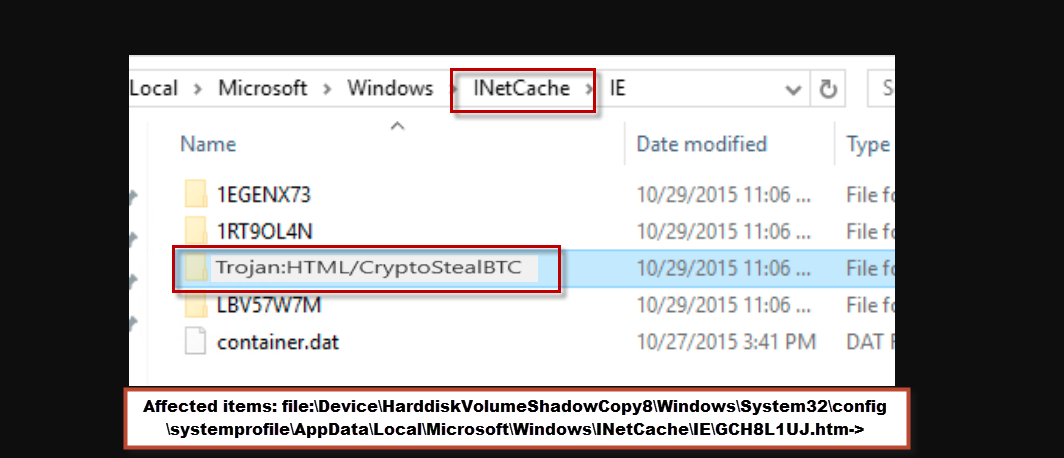
Commenti